KVM VPS 101 — the beginner's guide
No jargon assumed, no experience required. By the end of this guide you will know exactly what the free Pandev VPS is, what people actually do with it, and how to get yours running in about fifteen minutes.
Wait — what is a "server"?
A server is just a computer that stays switched on all the time and waits for other computers to ask it for things. When you open a website, your phone "asks" a server for that page. When you send a message on Discord, a server receives it and delivers it.
Your laptop at home is not a server — you close the lid, the Wi-Fi drops, the battery dies. A server's whole job is to be awake, connected, and reachable from anywhere on the internet, 24/7.
A VPS — Virtual Private Server — is a slice of a big physical server that behaves exactly like its own dedicated machine. You get your own operating system, your own files, your own IP address, and full administrator control. Nobody else on the same physical box can see inside your slice.
"KVM" is the technology doing the slicing (Kernel-based Virtual Machine, built into Linux). The only thing you need to remember about the name: KVM = real hardware-level isolation, which is why your VPS feels — and is — fully your own machine.
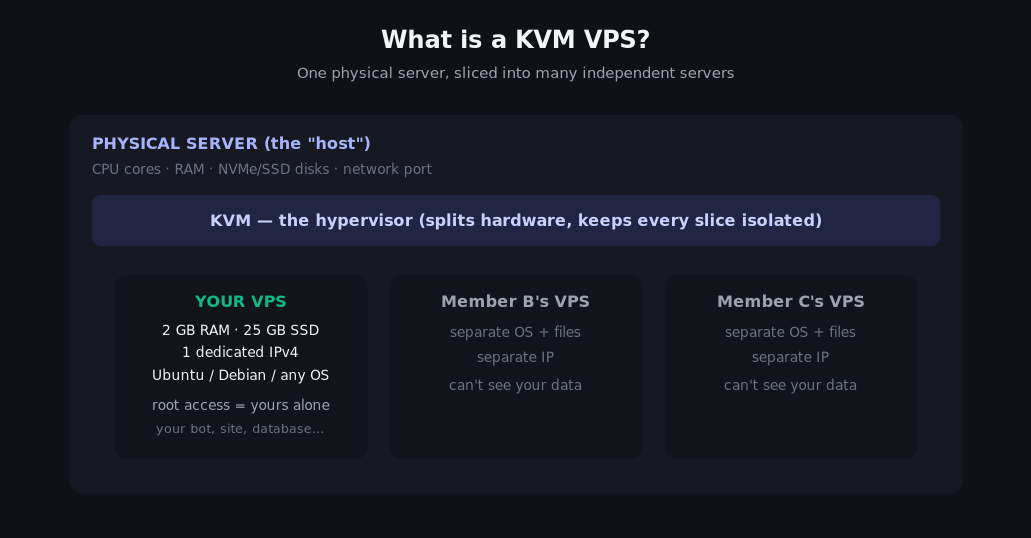
What you get with Pandev, in concrete terms
| Spec | Yours | What that means in practice |
|---|---|---|
| RAM | 2 GB | Comfortably runs a website + database + a bot at the same time |
| CPU | vCPU core(s) | Enough for real workloads; not for video encoding or mining |
| Disk | 25 GB SSD | Hundreds of websites' worth of text; ~5 GB after OS install |
| IPv4 | Dedicated, yours | Anyone on earth can reach your server directly |
| IPv6 | /112 subnet | Room for thousands of addresses of your own |
| Bandwidth | 500 GB / month | A tiny site can stream itself to the whole school on that |
| OS | Ubuntu / Debian / more | You choose; reinstalling is a few clicks in the panel |
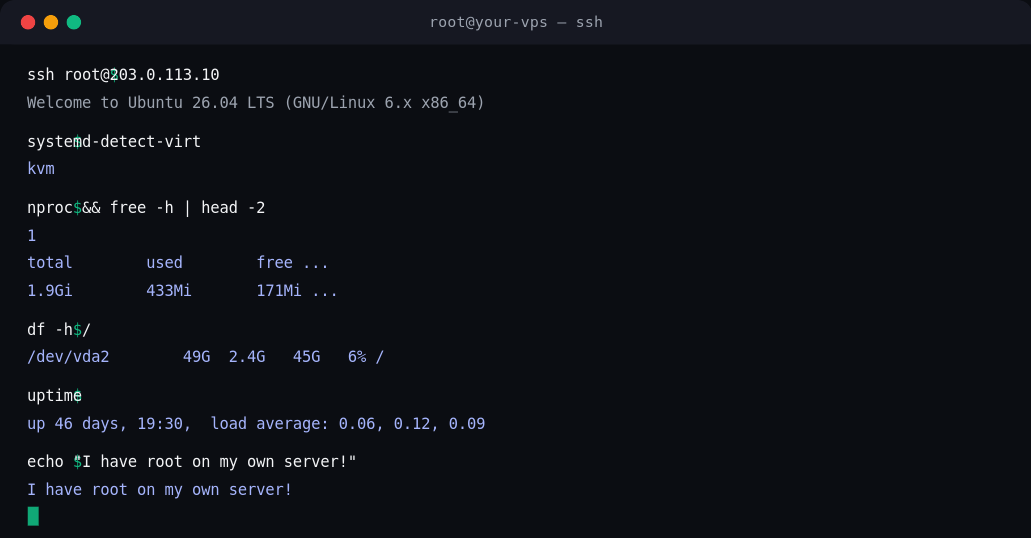
| Uptime | 24/7 | In one check we ran commands on a live Pandev host that had been up 46 days straight |
What you can actually DO with it
This is the part beginners underestimate: a VPS is not a toy, it is a real internet-connected computer with root access. People build careers on the exact skills you practice here.
1. Host a real website — yours, on your domain
WordPress, Ghost, or a plain static site. Point a domain name (₱300–₱500/year) at your IPv4, install Nginx, and you have a site the entire world can open. No more "my project only runs while my laptop is open."
2. Run a Discord / Telegram bot 24/7
This is the #1 use in community servers like Pandesal.DEV. Bots written in Python (discord.py) or JavaScript (discord.js) need a machine that never sleeps. Your VPS is that machine. Pair it with the free AI API and your bot can answer questions with an LLM too — the two guides are made for each other.
3. Learn Linux like it's a trade
Type commands, break things, fix things, no consequences — if you wreck it, reinstall from the panel in two minutes. apt, systemd, file permissions, SSH keys, logs, cron jobs: the exact skills every backend, DevOps, and platform job asks for. A VPS is the cheapest teacher in this list, and the only one that is free.
4. Play a private Minecraft / game server
A 2 GB slice comfortably runs a small Minecraft (PaperMC) or similar server for you and your friends — invite-only, always online.
5. A private cloud + automation hub
- Backups:
rsyncyour laptop's homework to it every night via cron. - Sync: your own Nextcloud instead of renting storage.
- Media/journaling/notes: anything self-hosted, private to you.
- Homelab gateway: schedule scrape jobs, uptime monitors, API pollers that outlive your laptop being shut.
6. A staging playground for your portfolio
Deploy what you build in class the way real companies do: git clone → install dependencies → run behind Nginx with HTTPS. Interviewers can click a live link instead of reading a README.
The rule of the house: personal, school, learning, or hobby use only. Non-commercial, never crypto mining, never bots that spam or abuse other people's services. Offense structure is Warning → Freeze → Removal.
Why this is relevant (the honest reasons)
- The internet runs on this. Almost everything you use online lives on a server you rent, not someone's laptop. Owning one moves you from "user of the internet" to "operator of the internet."
- It is the cheapest skill-builder that exists. A comparable cloud instance costs real money every month. Pandev's is free because the community pays it forward — and the skills transfer 1:1 to AWS/GCP bills later.
- AI changed the game. Twenty years ago this guide would have been scary. Today your VPS plus a free AI API key plus an assistant in your terminal makes "set up Nginx with HTTPS" a fifteen-minute afternoon project. The guide's AI API companion shows how to wire both together.
- It teaches operational maturity. Backups, check-ins, monitoring, "do not run as root" — small habits that separate hobbyists from engineers.
How Pandev Desk fits in
Pandev Desk is the portal that manages the whole lifecycle. Two logins, and this trips up every beginner, so read twice:
| Credential | What it logs into | Where you set it |
|---|---|---|
| Pandev Desk password | this website (pandev.webytely.com) | at /register |
| Virtualizor panel password | the VPS control panel (main.server.boyemma.com:4083) | on your Dashboard after provisioning |
| Linux root password | the VPS itself (SSH) | staff at creation — ask via Support if your project needs it |
The panel (Virtualizor) is where the deep tools live: console, reinstall, VNC, power. Pandev Desk is the community layer: check-in, links, applications, support, AI keys.
Getting started — zero to root in ~15 minutes
Step 1 — Join
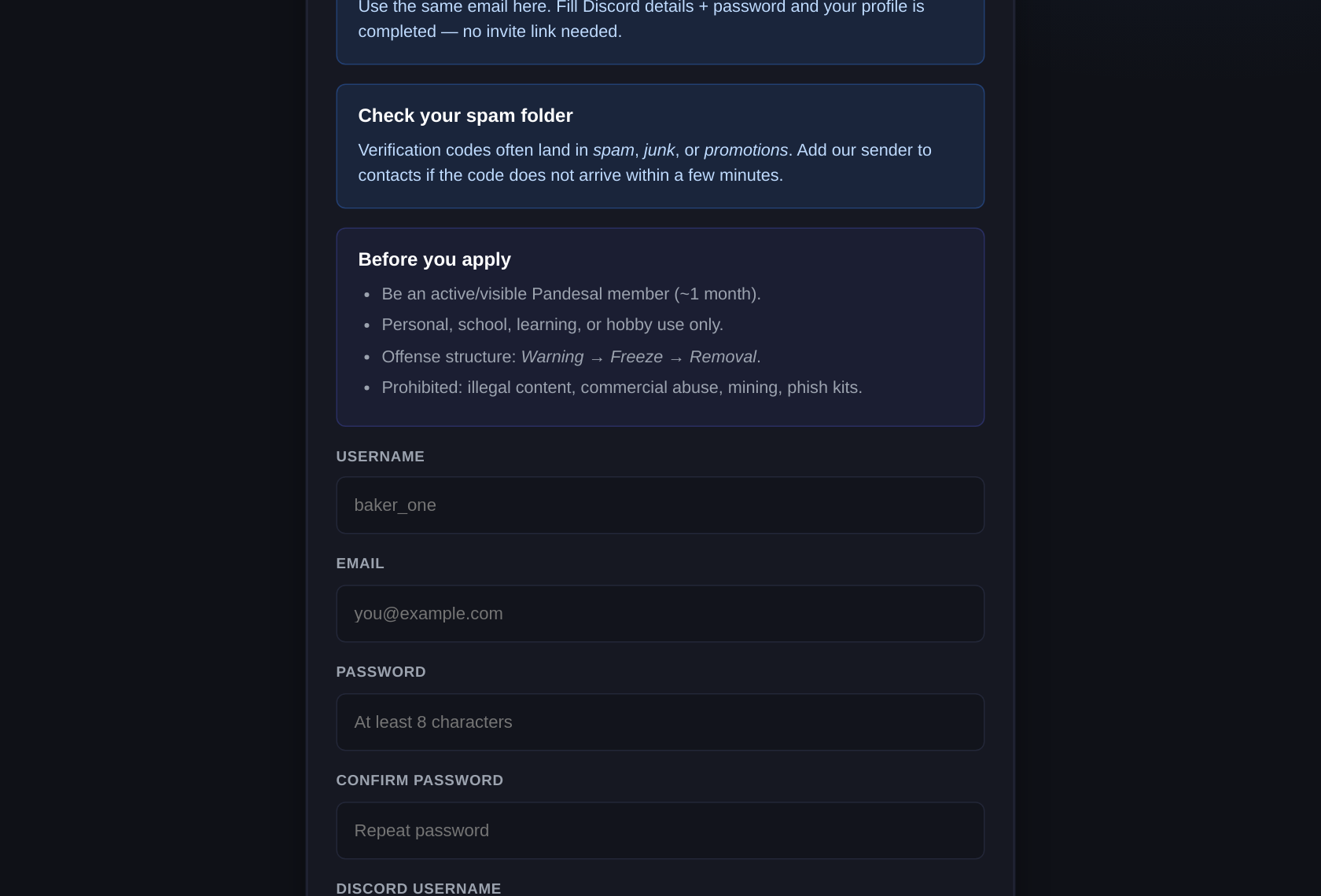
Open /register, fill email + username + password, your Discord username and ID, your Pandesal join date, and a sentence about what you'll build. Verify the 6-digit code that emails you. The portal looks like this:
Step 2 — Wait for the application (usually fast)
Verifying creates a Rent-A-Server application automatically. A moderator approves it, and on approval your free VPS is created and linked to your account. If it's slow, that's normal staffing — ping politely in Discord or open a /support ticket.
Step 3 — Set your panel password
Dashboard → the Virtualizor panel password box → set it.
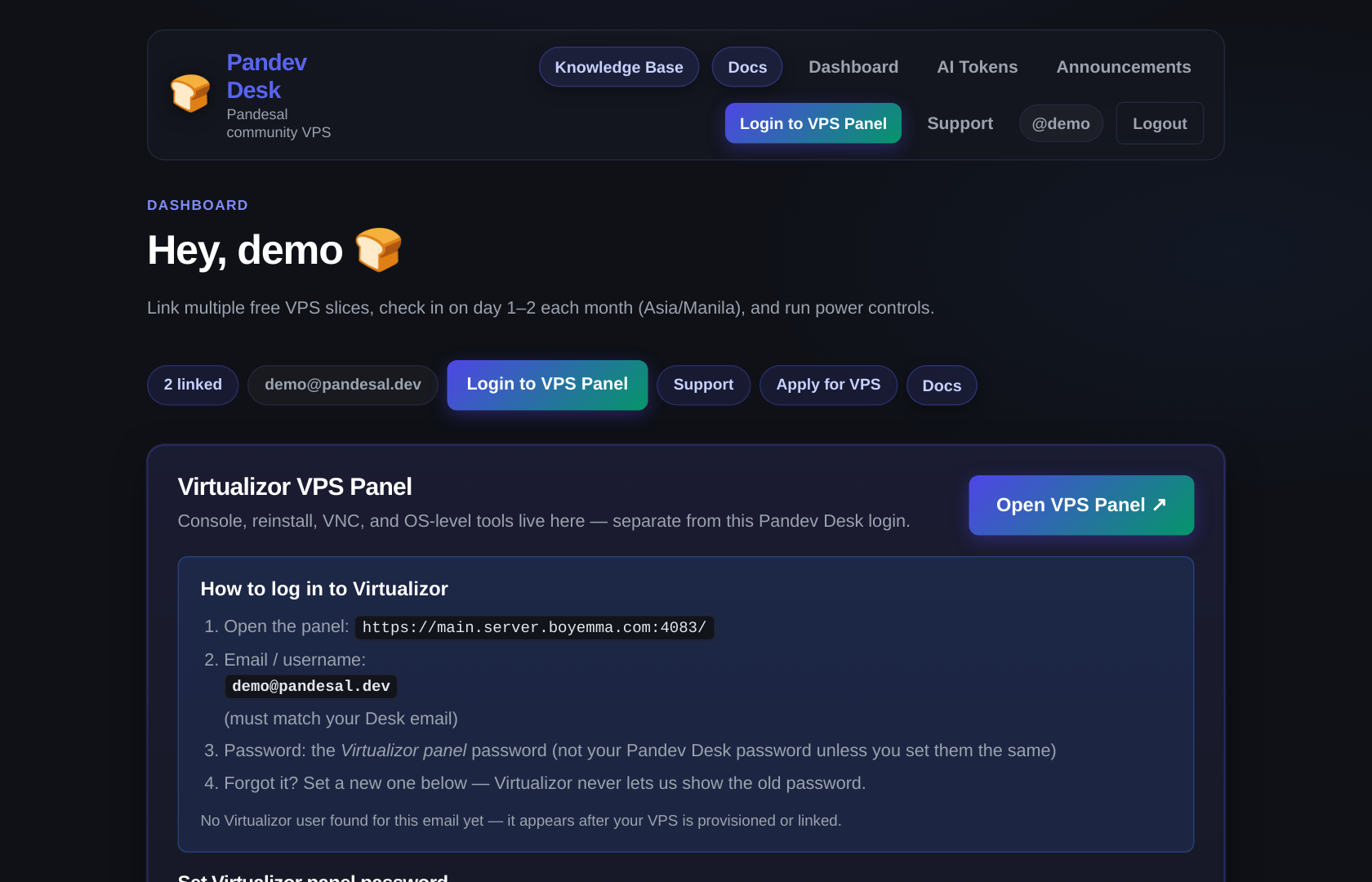
This changes only the control-panel login — not your Pandev Desk password, and not the Linux root password.
Step 4 — Log into the panel
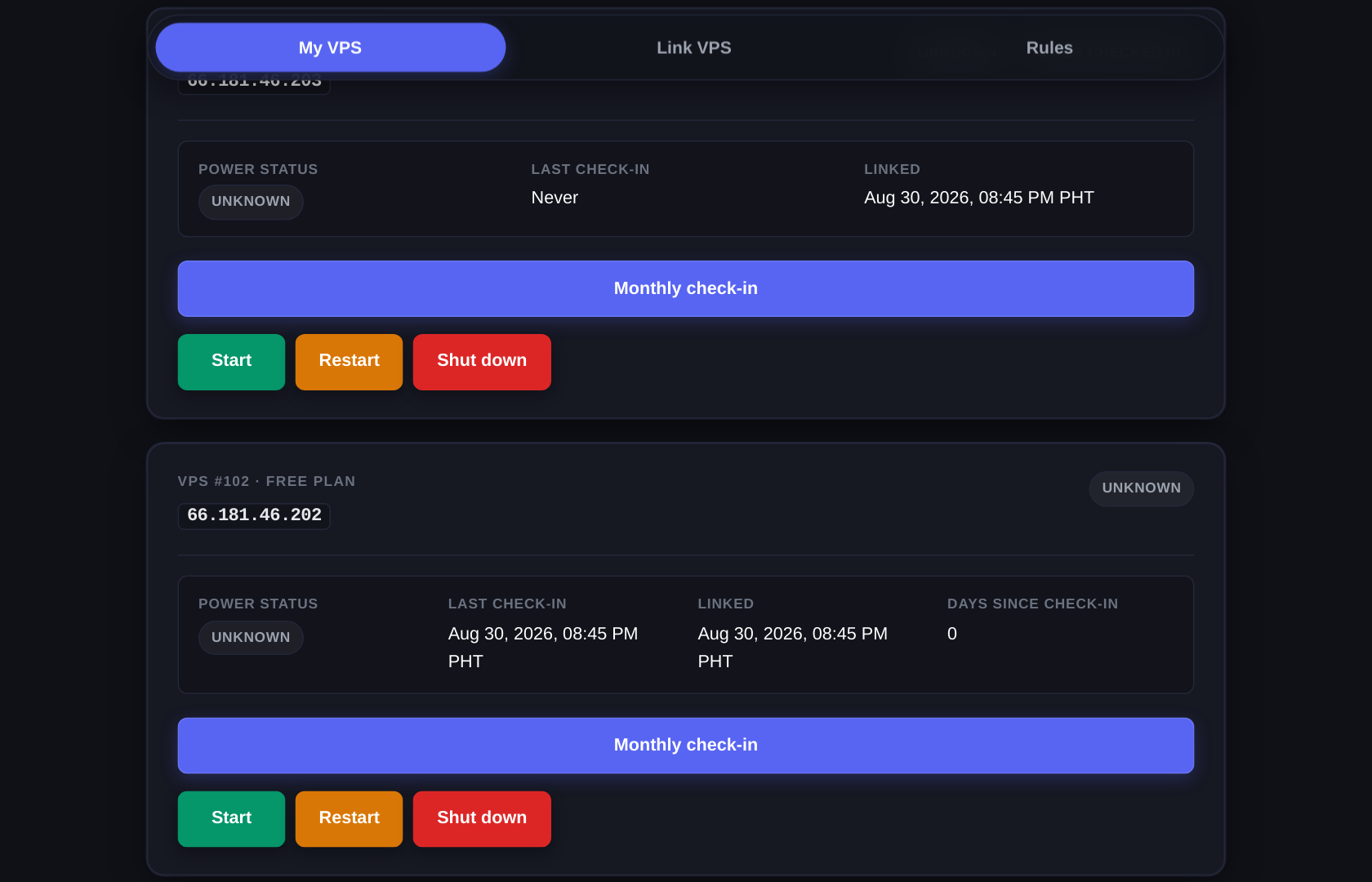
Click Login to VPS Panel (email = your Desk email, password = the one from Step 3). In the panel you can open the VNC console if you ever lock yourself out of SSH, reinstall to a different OS, or watch CPU live.
Step 5 — SSH in (the moment it becomes yours)
From your own terminal (Windows users: PowerShell or Windows Terminal works out of the box):
ssh root@YOUR_VPS_IPThe IP is on your VPS card and in the panel. First connection asks yes/no — type yes. If staff gave you a root password, paste it when prompted; if nothing you recognize, Support can reset it.
Then run the beginner's confidence ritual:
systemd-detect-virt   # answers: kvm
nproc                 # your CPU cores
free -h               # RAM
df -h /               # disk
uptime
You are now the administrator of a server on the public internet. Use that power responsibly.
Step 6 — The two-minute sanity pass
apt update && apt upgrade -y
adduser trainee && usermod -aG sudo trainee   # daily driver; save root for emergencies
Optional next moves: install ufw (allow SSH first, always), generate an SSH key so you never type the root password again, then pick one project from the "what you can do" list above.
The one policy that keeps the free tier free: check-in
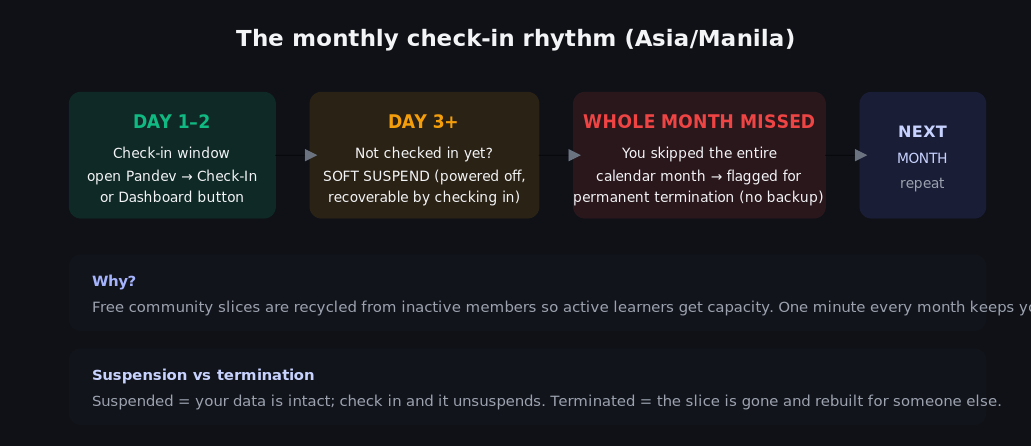
Pandev is a community perk, not a hosting company. The trade for "free forever" is one minute at the start of every month:
- Days 1–2 (Asia/Manila): check in from the Dashboard, or the public Check-In tab with Instance ID + IP + email.
- Day 3+ without checking in: soft-suspend — the VPS powers off, your data is safe. Check in and it unsuspends instantly.
- Entire month skipped: the instance is flagged for permanent termination — because someone who needs it is waiting. No backups, no exceptions.
- Wrong details fail closed: an ID+IP+email mismatch during check-in can suspend the instance by design (anti-fraud).
Set a recurring phone reminder for the 1st of every month. This is the single most common way members lose their VPS.
Linking an existing VPS you already had
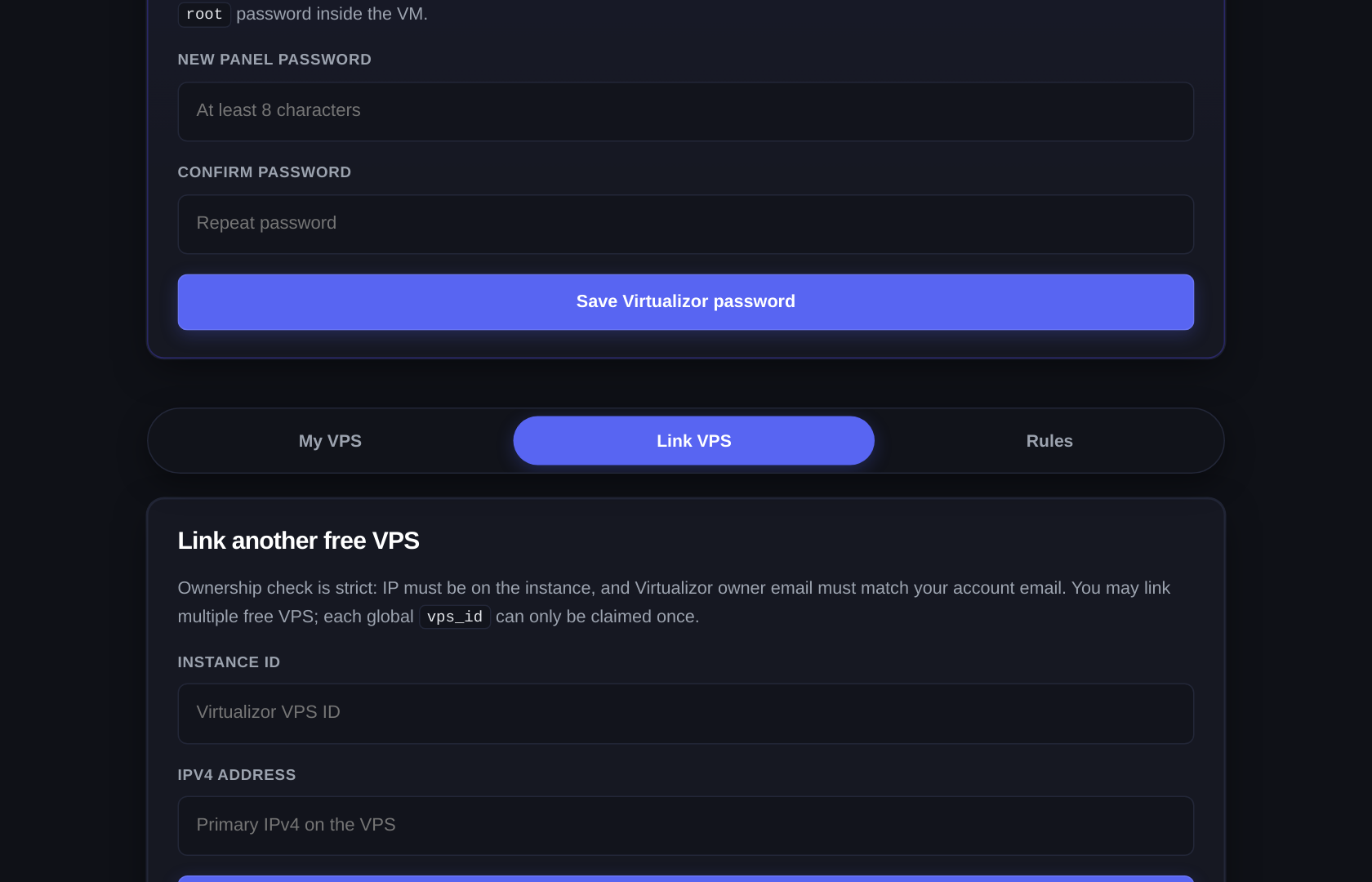
Already owned a slice from before Pandev? Dashboard → Link VPS → Instance ID + IPv4 → verify. The email on Virtualizor must match your Desk email exactly. One ID can only be linked once.
Troubleshooting the classics
| Symptom | Almost always |
|---|---|
| Suspended for no reason | Check-in window (UTC midnight vs your midnight — it's PHT) or a failed verify attempt. Check-In unsuspends. |
ssh: connection refused | VPS stopped → Start it from the card or the panel. Firewall? VNC console fixes it. |
| Lost panel password | Dashboard's Virtualizor password box sets a new one; no email involved. |
| Lost root password | Ask Support via ticket; staff reset it. |
| Reinstalled and it's Debian now | That's the panel's reinstall — your old disk is gone; restore from your own backups (see Step 6 homework). |
| "VPS is protected / cannot be linked" | That instance belongs to a staff-protected account by design. |
What's next
You have a server and root on it. Now make it useful:
- 🤖 Add AI to a project: AI API — the beginner's guide → (works even if you don't have the VPS yet)
- 🧭 Full portal reference: Member guide (
/docs) - 🧭 Interactive: Chat Playground — ask the KB anything
- 🏠 Everything else: Knowledge Base index