Member guide
Site: https://pandev.webytely.com Audience: community members and guests Last updated: 2026-08-31
Everything you can do in Pandev Desk: your free KVM VPS, the monthly check-in that keeps it, your free AI API key, announcements, and support. Staff tools live in Staff ops (/docs/mod).
Time zone for every check-in rule on this page: Asia/Manila (PHT).
Tip
New here? Read Start here below, or skip straight to the Knowledge Base at /kb — it explains what a VPS even is, with pictures, and assumes zero experience.
Start here
Four things cover 90% of what members do:
| You want to | Go to | Button |
|---|---|---|
| Get a key and start building | /aitokens | Create my API key |
| Power, check-in, panel login | /dashboard | tab My VPS |
| Ask a question about any of this | /kb then /kb/playground | Ask Pandev |
| Report something broken | /dashboard/support | + New ticket |
Note
You must be logged in for all four. Guests can read the Knowledge Base and open a public ticket at /support — that is it.
What Pandev gives you
| Perk | What you get | Where |
|---|---|---|
| Free KVM VPS | 1 vCPU · 2 GB RAM · 25 GB SSD · dedicated IPv4, full root | /dashboard/apply — builds instantly for a clean record |
| Free AI API key | OpenAI-compatible endpoint, model auto, no credit card | /aitokens |
| Chat Playground | Try that key in the browser, no code | /kb/playground |
| Knowledge Base | Beginner guides for both of the above | /kb |
| Support | Ticket thread with staff | /dashboard/support |
The VPS is real infrastructure someone else pays for, which is why the check-in rule below exists. The AI key is deliberately generous and the fair-use notes are in Good to know.
The menu bar
What appears up top depends on who you are.
Not logged in
| Item | Goes to | Notes |
|---|---|---|
| Knowledge Base | /kb | Public — open to anyone |
| Docs | /docs | This page |
| Discord | Your invite link | Only shown when an invite is configured |
| Support | /support | Public ticket form, no login |
| Login | /login | Email + Desk password |
| Join | /register | Create an account |
Logged in as a member
| Item | Goes to | Notes |
|---|---|---|
| Dashboard | /dashboard | Your VPS, check-in, power |
| AI Tokens | /aitokens | Your key, endpoint, model |
| Announcements | /announcements | Staff notices |
| Login to VPS Panel | Virtualizor :4083 | New tab |
| Support | /dashboard/support | Your tickets |
| @username | — | Display only |
| Logout | — | Clears the session |
Note
Staff links — Accounts, Review Queue, Tickets, VPS, AI Keys, Bots, Admin — are absent for plain members by design. Seeing them means your account has a staff role.
Public home
/ needs no login and has three tabs.
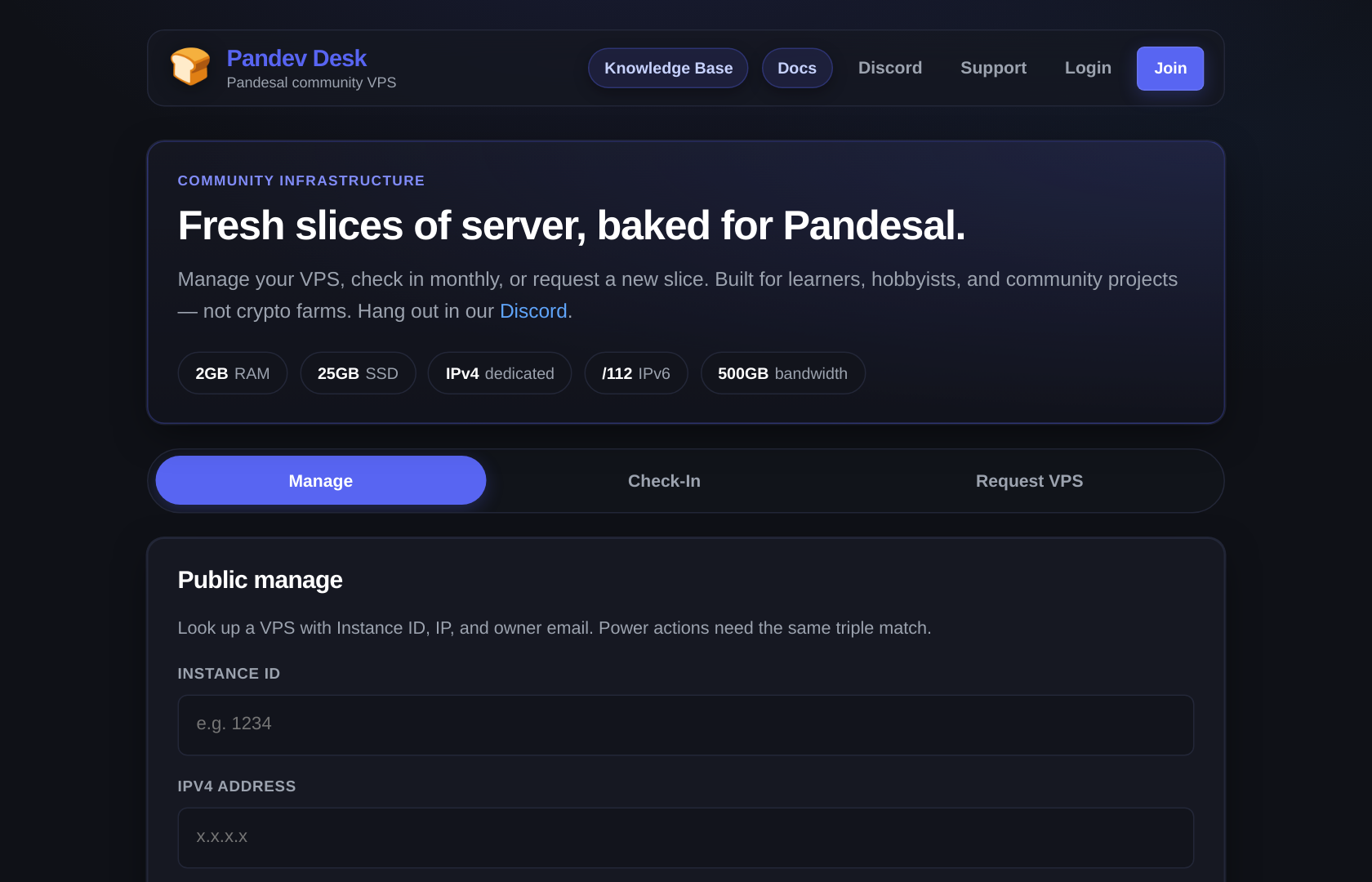
Manage
- Enter Instance ID, IPv4, and Owner email.
- Look up VPS verifies ownership against Virtualizor.
- If the trio matches, you see live status plus Start / Restart / Power off — each asking you to confirm a second time.
Check-In
The monthly policy text plus the same ID + IP + email form.
- On success: check-in recorded for the current PHT month, the VPS links to a matching account if needed, and a soft suspend lifts.
- On a permanent lock (pwned / compromised / abandoned / permanently closed) it fails closed — no check-in revives that instance.
Request VPS
Points you at Join. The full Apply form needs an account.
Caution
A wrong ID/IP/email combination can soft-suspend the instance when Virtualizor confirms the ID exists. It is a deliberate deterrent, not a bug — if you typo your own box, just check in properly and it comes back.
Joining the community
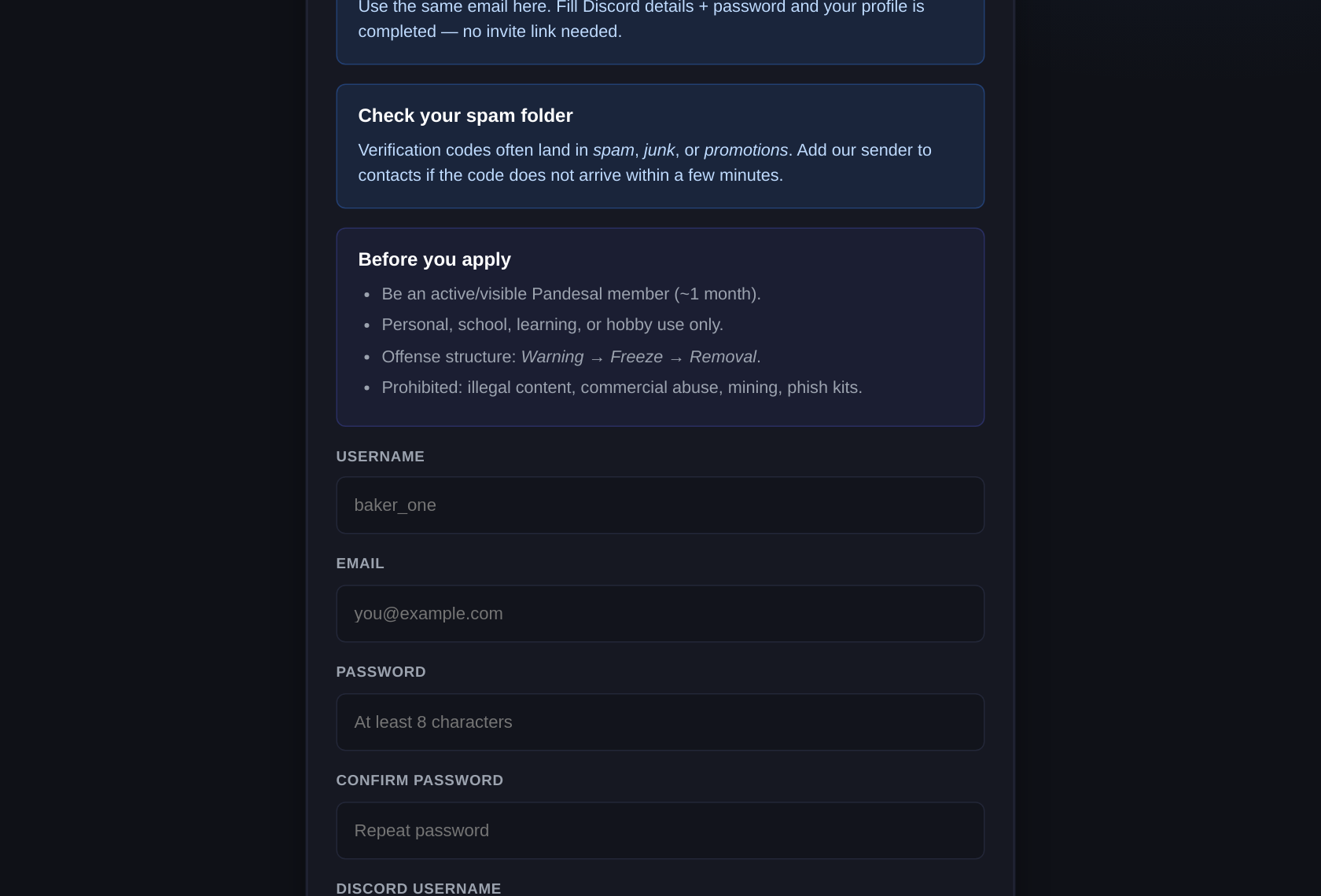
/register asks for:
- Email, username, password, password confirmation
- Discord username and Discord user ID
- Pandesal join date
- Why you want a VPS (project description)
- How you heard about us, plus Other text when relevant
Then:
- Your password is hashed for Pandev Desk only — it is never your Virtualizor or Linux password.
- A 6-digit code is emailed. It expires.
- You land on
/verify-email.
Important
Entering your code at /verify-email also submits your Rent-A-Server application. If your record is clean, that is the whole process: your free VPS starts building immediately and you are taken straight to a one-time page showing its Linux root password. No moderator sits in that path. Only an account with a bad record goes to staff instead — see Why is mine waiting for staff?.
While you are there: the terms now mention the AI Token program and what Pandev is for, so the same approval covers your AI key conversation later.
Logging in
| Situation | What happens |
|---|---|
| Normal | /login with email + Desk password |
| Pre-registered or incomplete | You are pushed to finish registration first |
| Invite / shell account | Forced to /set-password before anything else |
| Forgot password | /forgot-password → emailed link → /reset-password |
| Verification code stuck | Re-request at /verify-email |
Sessions are httpOnly cookies lasting 14 days. Logout clears it.
Your dashboard
/dashboard is home base. Hero buttons: Login to VPS Panel · Support · and the apply pill, which reads Get a free VPS when you are eligible, Application with staff while a held application is pending, Server building… right after a self-service create, and Request another once you have a box.
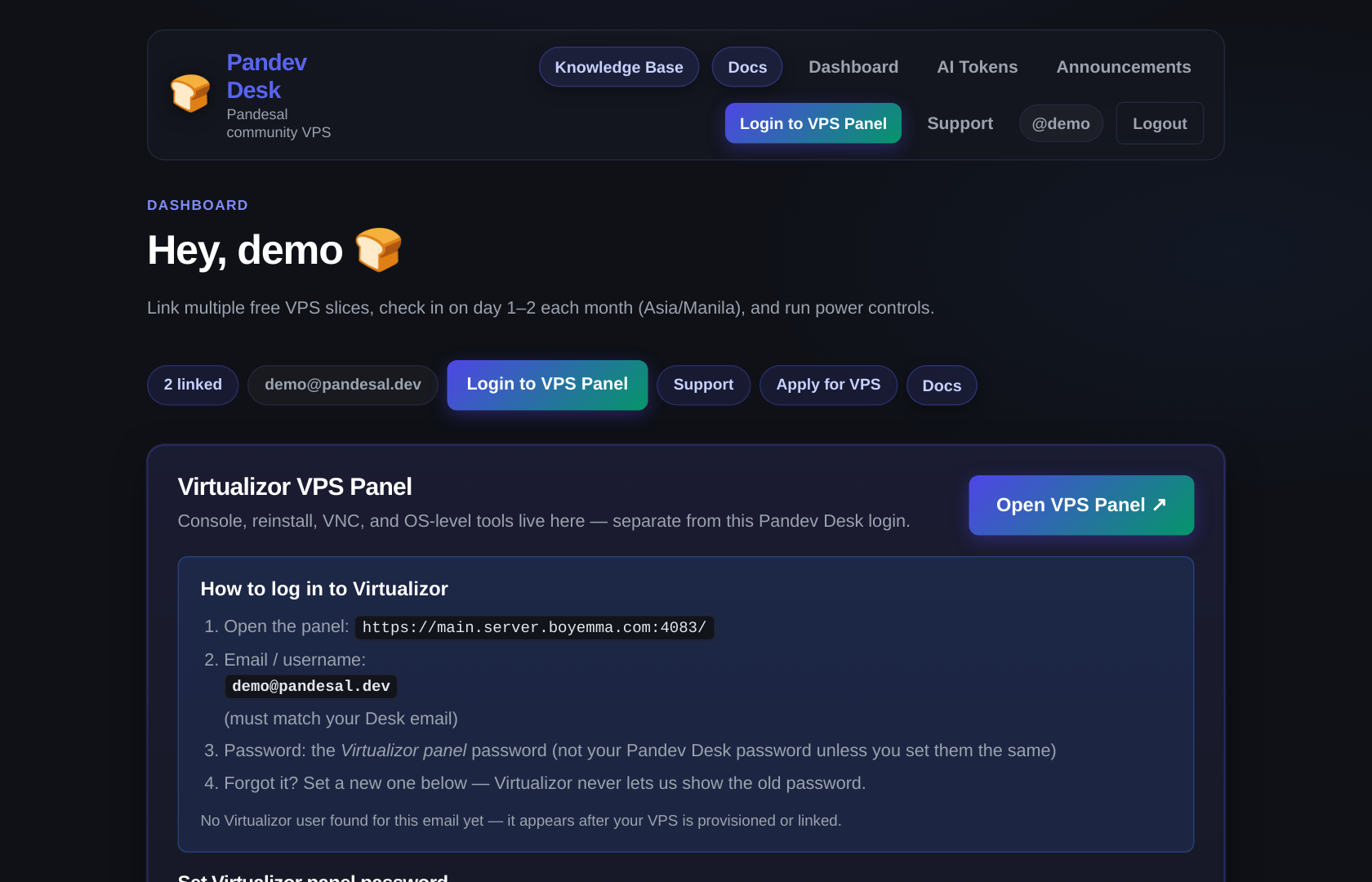
Tabs:
| Tab | Contents |
|---|---|
| My VPS | One card per linked instance |
| Link VPS | Attach an instance you already own |
| Rules | Check-in policy + free-plan specs |
The My VPS card
| Badge | Meaning |
|---|---|
| Running | Powered on at the hypervisor |
| Stopped | Powered off, healthy, starts normally |
| Suspended | Soft-suspended — check in to lift it |
| Lock tag | Pwned / Compromised / Abandoned / Permanently closed — this instance is gone for good |
Buttons per card: Monthly check-in, Start, Restart, Shut down.
Warning
A card carrying a permanent lock tag hides the power and check-in controls entirely. Staff cannot unsuspend those either — only a brand-new replacement instance. If you believe the tag is wrong, open a ticket.
Getting a free VPS
/dashboard/apply is the Rent-A-Server form, and it is self-service. The page tells you up front which way you will go: a clean record shows "Send this in and your server starts building immediately" and the button reads Get my server; a flagged record lists the reasons and the button reads Submit for review.
On submit, an eligible member's box is created on the spot. You are then taken to a one-time page showing the Linux root password:
- Copy it, then SSH in:
ssh root@YOUR_VPS_IP. - That page can only be opened once. After you close it the password is destroyed on our side — nobody, including staff, can read it back.
- Left the page before saving it? The Dashboard shows "You have a server password waiting" with a link back to it. Open that link; the credential is still unrevealed until you do. Lost it entirely? Staff rotate it — they cannot recover it, so do not ask them to.
One free box per member. A second request goes to staff. A paid or custom box does not use up your free allowance.
Why is mine waiting for staff?
These are the only things that hold an application back. Any one of them sends it to the review queue instead of auto-provisioning:
| Reason | What it means |
|---|---|
| You already have a free VPS | One free box per member. Ask via ticket if the first one is gone. |
| One of your servers is suspended or awaiting termination | Usually a missed check-in — check in and resubmit. |
| Permanent lock on record | A past box was tagged pwned / compromised / abandoned / closed. That instance is not coming back; a replacement is a staff decision. |
| A previous application was rejected | Staff said no once, so a human has to say yes now. |
| Your registration was rejected, or your account is banned or disabled | The account itself is cut off. |
If you think one of those is wrong or already resolved, open a ticket at /dashboard/support with your instance ID — not a Discord DM. Once the cause is cleared, re-submitting (or a staff approval) provisions exactly what auto-provisioning would have.
Monthly check-in
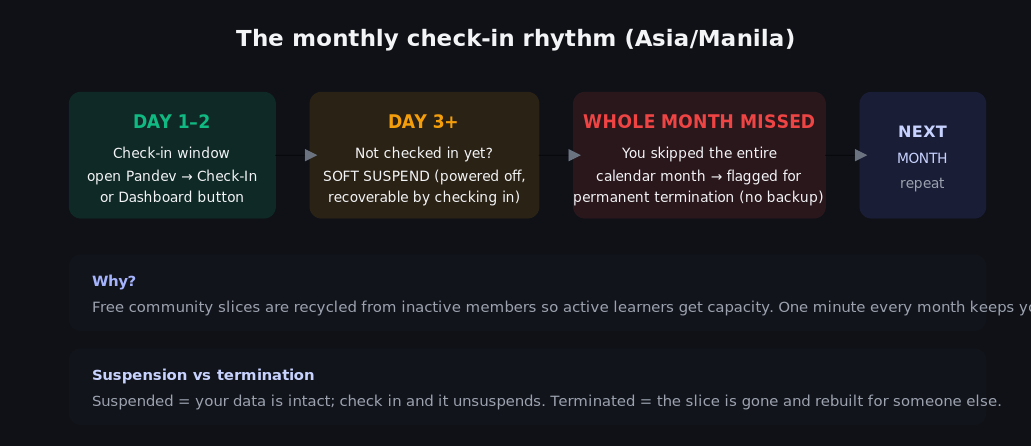
This is the one rule that keeps the free tier free. In Asia/Manila calendar months:
| When | State |
|---|---|
| Day 1–2 | Your check-in window. Nothing gets suspended. |
| Day 3 or later, current month missing | Soft suspend. You can still get it back. |
| You check in validly | Suspends lift and last_checkin moves to this month. |
| You miss an entire calendar month | Termination policy applies (ops/network reclaim the box). |
Two things people get wrong:
Note
Check-in is per calendar month, not "last 30 days". Checked in on July 4? You are overdue on August 3, not September 3.
Important
Checking in this month protects you. If you checked in during days 1–2 and get suspended later anyway, that is a bug — tell staff with your instance ID and they will recover it.
Where to check in: /dashboard → My VPS → Monthly check-in, or the Check-In tab on the public home if you cannot log in.
Your VPS
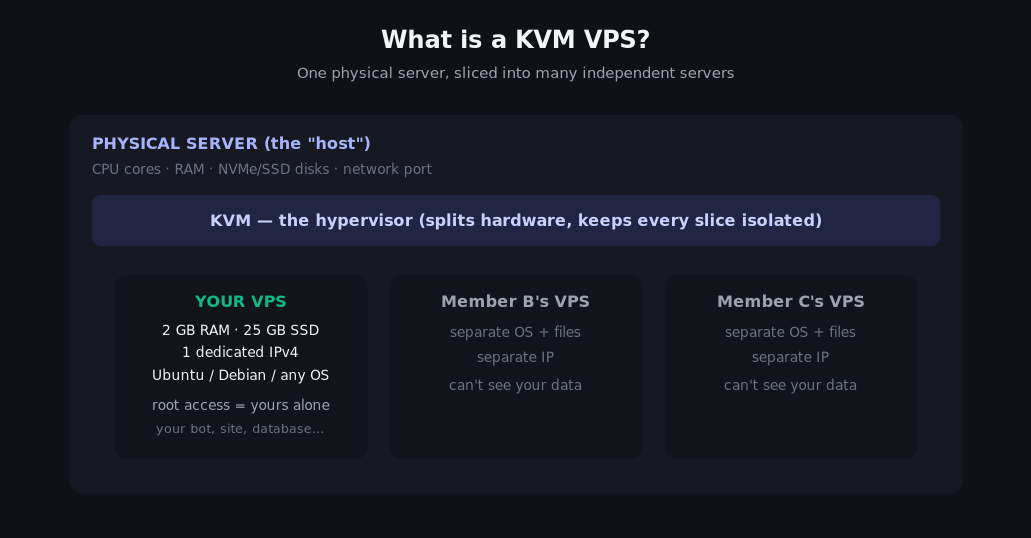
A KVM VPS is a whole server you administer: your own Linux, your own ports, your root password. Not shared hosting, not cPanel.
Linking a VPS you already own
/dashboard → tab Link VPS → Instance ID + IPv4 → Verify & link.
| Rule | Detail |
|---|---|
| Owner must match | The email on the Virtualizor record must equal your Desk email |
| One owner per box | Each vps_id can be linked only once |
| Soft-suspend first | A linked box that was suspended is unsuspended on link |
Power controls
| Button | Does | Use it when |
|---|---|---|
| Start | Powers on | Box is Stopped (not Suspended) |
| Restart | Reboots OS | Service wedged, config reloaded |
| Shut down | Powers off | You are done, or a safe disk op is needed |
Tip
Suspended is not Stopped. Power buttons will not rescue a suspend — only a valid check-in will.
Running commands inside it
You get SSH on port 22 with your own root password.
ssh root@YOUR_VPS_IP
apt update && apt upgrade -y
The full walkthrough, including ufw, fail2ban and a first web app, is KVM VPS 101 at /kb/kvm-vps-101.
Panel password
This trips everyone up, so: Pandev Desk has three separate passwords and only one of them logs you into the VPS control panel.
| Secret | Who sets it | Emails to you? |
|---|---|---|
| Pandev Desk password | You, at register or reset | Never |
| Email verification code | Desk generates it | Emailed once, expires |
| Virtualizor panel password | You, on the Dashboard | Never |
| Linux root | Desk generates it at create | Shown to you once on the reveal page; never emailed |
Set the panel password on /dashboard: enter it twice, press Save Virtualizor password. Then Login to VPS Panel takes you to main.server.boyemma.com:4083 — email is your Desk email, password is the one you just saved.
Caution
Save Virtualizor password changes the web control panel only. It does not touch your Linux root password or your Desk password. Desk will never reveal an old panel password — reset is the only path, and that is by design.
The free AI API key
This is the newest perk and it is self-service — no queue, no approval, no waiting on staff.
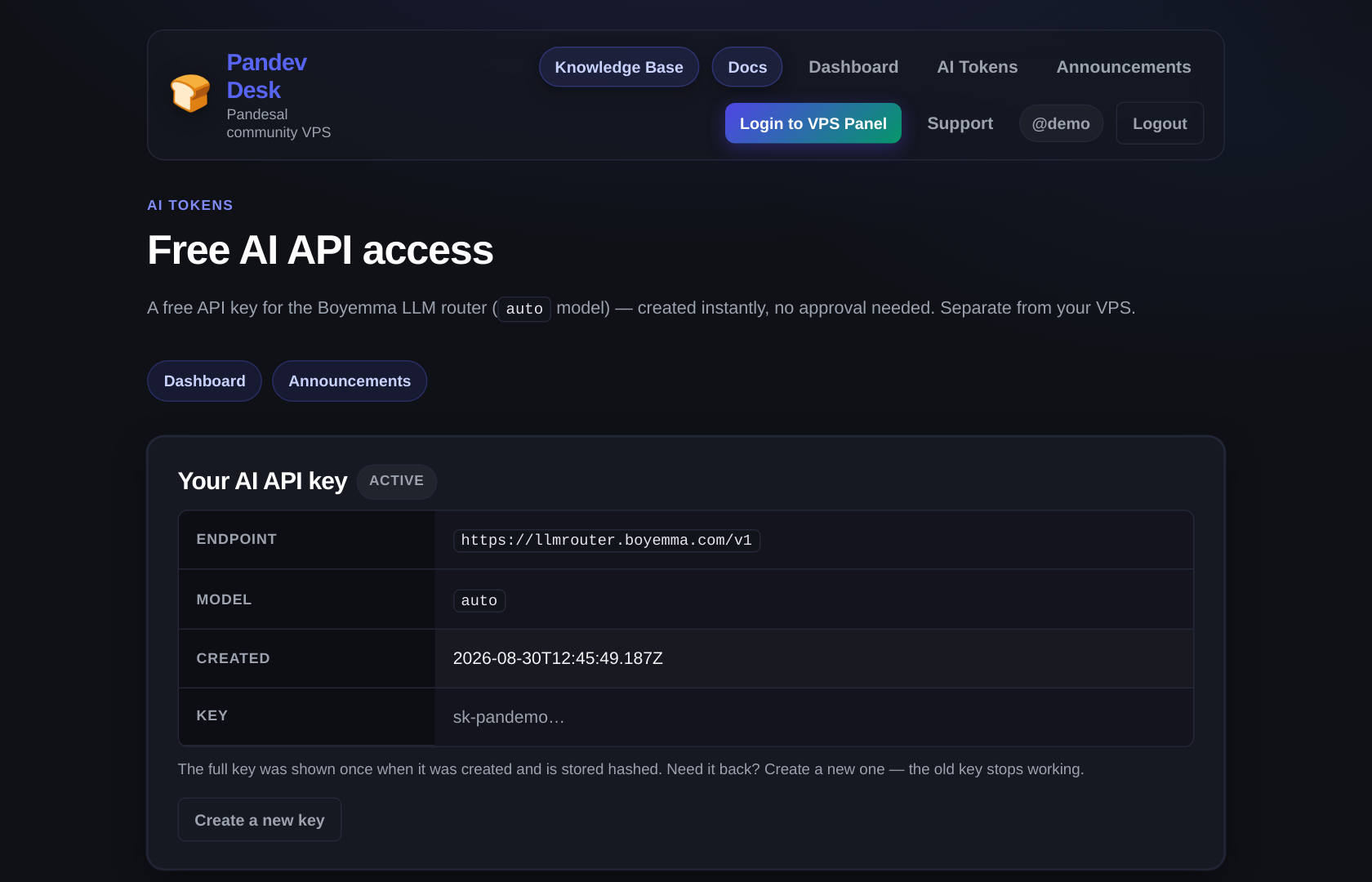
Getting a key
/aitokens- Create my API key
- Copy it from the screen — it is shown once and only stored hashed.
| Detail | Value |
|---|---|
| Base URL | https://llmrouter.boyemma.com/v1 |
| Model | auto |
| Compatibility | OpenAI-shaped: /chat/completions, streaming, standard headers |
curl https://llmrouter.boyemma.com/v1/chat/completions \
  -H "Content-Type: application/json" \
  -H "Authorization: Bearer sk-you…-here" \
  -d '{
    "model": "auto",
    "messages": [{"role": "user", "content": "hello"}]
  }'
Key states
| State | What you see | How to fix |
|---|---|---|
| active | Your key details, endpoint, model | Nothing — you are set |
| suspended | Red badge and a notice | Staff action; open a ticket at /dashboard/support |
| terminated / revoked | Badge plus Request a new key | Approval required — see below |
Recreating a key
Create a new key is for a leaked or compromised key. It asks you to confirm: Create a new key? Your current key stops working immediately.
Warning
Recreating is not a cosmetic refresh. The moment you confirm, every app and script holding the old key starts failing with 401s. Update them all before you click.
Requesting access instead
/aitokens/apply sends a human a form: Discord username, Discord user ID, Pandesal join date, why you need it, how you heard about us. Staff see it under Applications in the AI Keys desk. Needed only when your key was terminated or revoked — normal members never touch this.
If the page says not configured
"AI Tokens are not configured yet" means the host is missing LLMROUTER_PROVISION_KEY. Nothing is wrong with your account — staff need a ticket.
Announcements
/announcements is staff notices: maintenance windows, policy changes, program news. Newest first, pinned items stay on top.
- Login required.
- Read-only. Questions go through a ticket or the Discord.
Support tickets
| Page | What you do |
|---|---|
/dashboard/support | Filter by status, + New ticket, Open |
/dashboard/support/new | Subject + body + category |
/dashboard/support/:id | Read the thread, Send reply while open |
Guests use /support instead — same queue, no login.
Tip
Include your instance ID and a rough time in PHT in the first message. Those are the two things staff always ask for, and it saves a round trip.
A closed ticket cannot be reopened. Reply from a new ticket and reference the old number.
Knowledge Base and Chat Playground
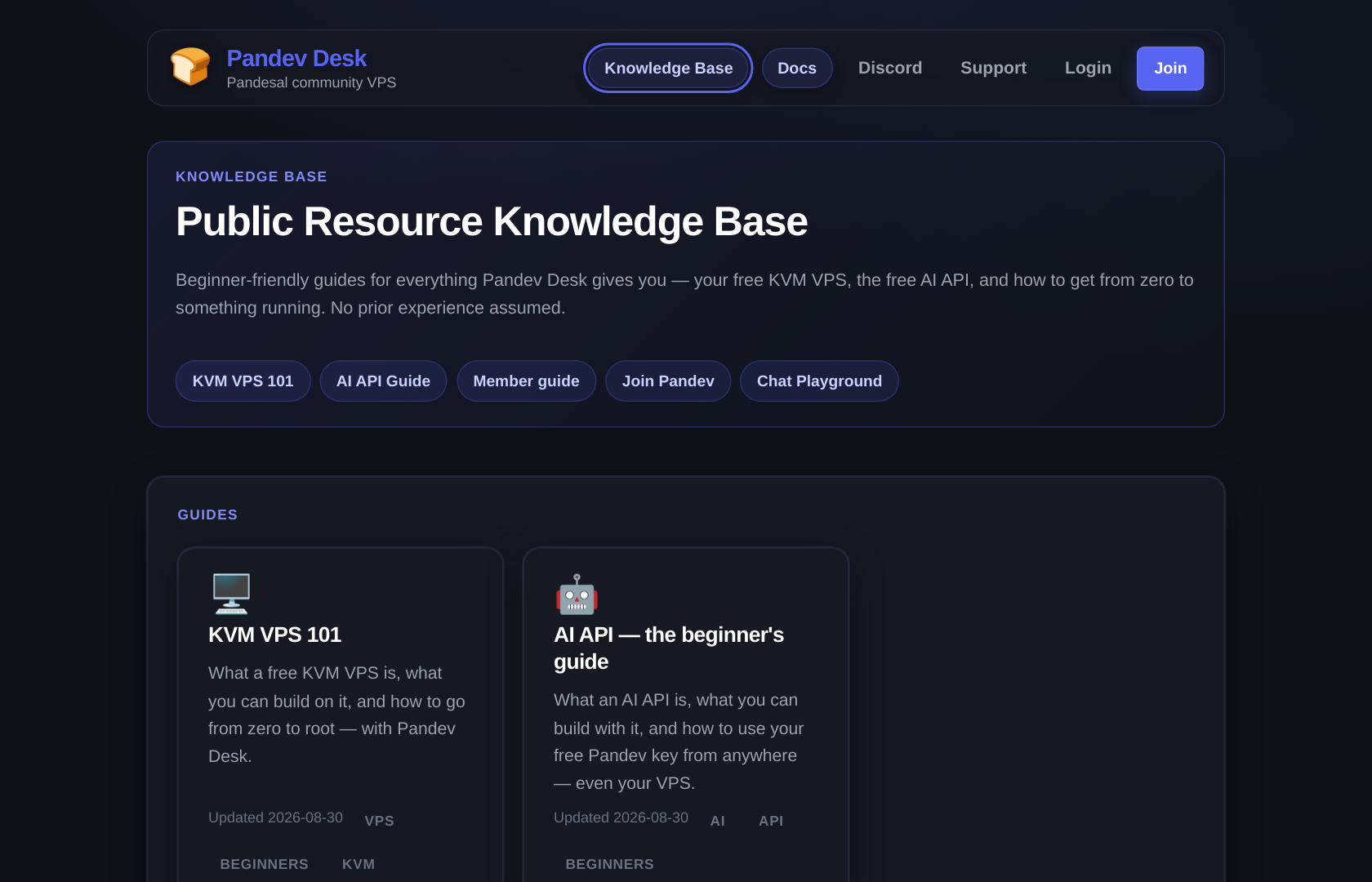
/kb is beginner guides with screenshots: KVM VPS 101 and AI API — the beginner's guide. Public, no login, and it is the place to start if any word on this page was unfamiliar.
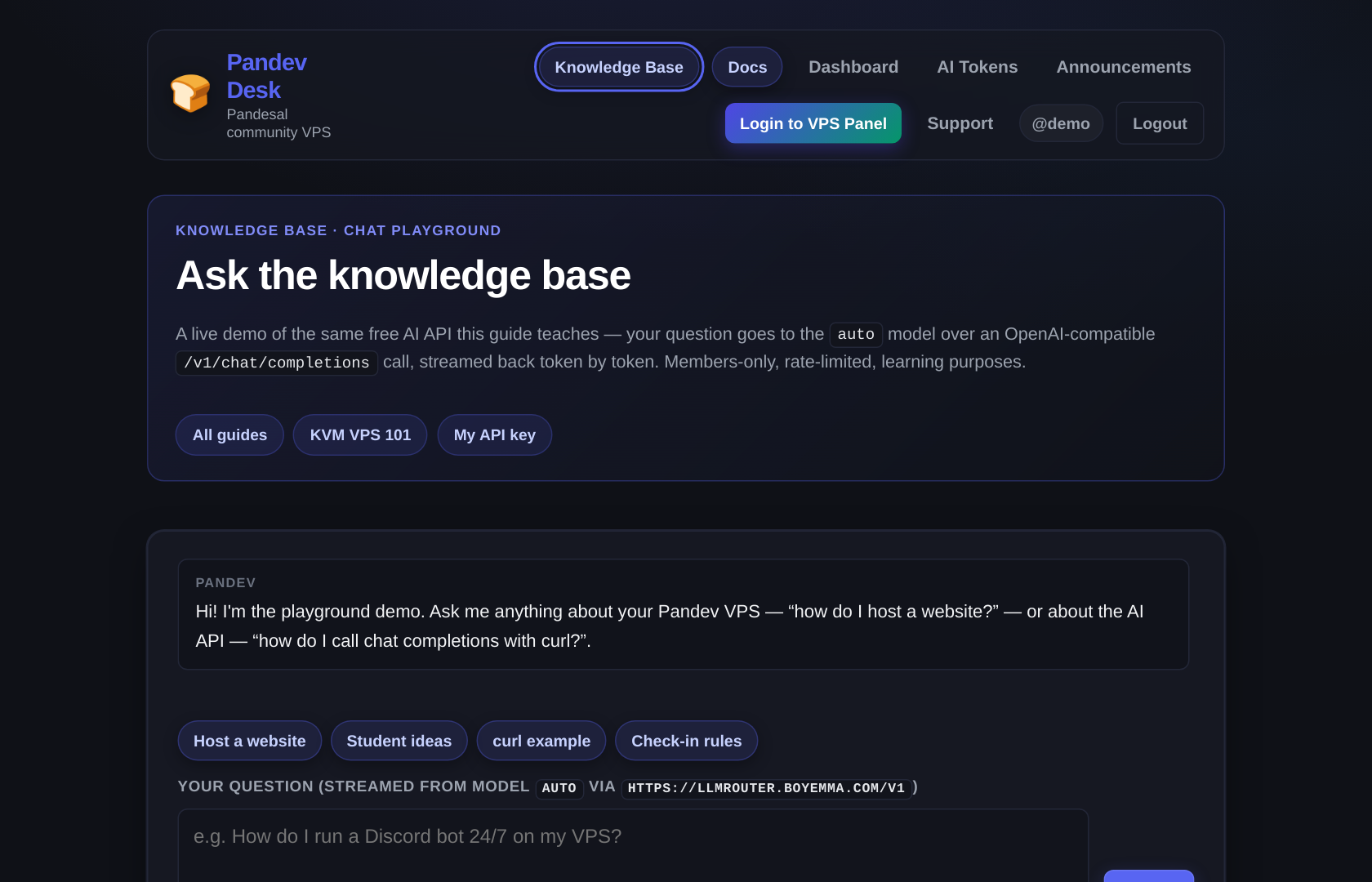
/kb/playground is a chat box wired to the same model behind your API key — no code, nothing to install. Members only.
Note
Fair use on the Playground: 8 requests per minute per member, and it remembers the last 12 messages. It is a sandbox for questions, not a hosted ChatGPT replacement. For anything you are building, use your own key from The free AI API key above.
Passwords at a glance
| Secret | What it opens | Set or reset |
|---|---|---|
| Pandev Desk password | This website | Register, or /forgot-password |
| Email verification code | Activates your account | /verify-email |
| Virtualizor panel password | VPS control panel :4083 | Dashboard, Save Virtualizor password |
| Linux root | SSH into your VPS | Shown once at /vps-setup/… when the box is created; lost it? Staff rotate it via ticket |
| AI API key | llmrouter.boyemma.com/v1 | /aitokens, Create my API key |
Caution
Desk never emails your panel password or your Linux root password. If mail arrives claiming to carry them, it did not come from us.
Your first week
Join → check your inbox → enter the 6-digit code
        ↓
Application submits with it — clean record = your VPS starts building now
        ↓
One-time page: copy your Linux root password before you leave
        ↓
Dashboard → Set Virtualizor panel password → Login to VPS Panel
        ↓
/aitokens → Create my API key → first curl or Playground chat
        ↓
Every month, days 1–2 PHT → Monthly check-in
Nothing needs an approval when your record is clean — the VPS and the AI key are both instant. Only a flagged account waits on staff; see Why is mine waiting for staff?.
Good to know
| Question | Answer |
|---|---|
| Can I run a public website? | Yes. Expect it to stay up, not to survive a DDoS. |
| Can I mine crypto? | No. It is the fastest way to a permanent lock. |
| Is my data backed up? | No. Snapshots are not included — back yourself up off-box. |
| Can I get more RAM? | Ask in a ticket; plans are staff-configured. |
| What ends my VPS? | Missing a full calendar month, or abusing it. |
| Fair use on the AI key? | Reasonable personal and community projects. Bulk scraping, reselling access, and mining-style loops get suspended. |
Why model auto? | The router picks the backend. Your code keeps working when models change. |
All your links
| URL | Purpose |
|---|---|
/ | Public home (Manage / Check-In / Request) |
/kb | Knowledge Base (public) |
/kb/kvm-vps-101 | Guide: your free KVM VPS from zero |
/kb/ai-api | Guide: the free AI API key from zero |
/kb/playground | Chat Playground (members only) |
/login /register /verify-email | Auth |
/forgot-password /reset-password /set-password | Password flows |
/dashboard | Member home |
/dashboard/apply | Apply for another VPS |
/dashboard/support | Your tickets |
/aitokens | Your free AI API key |
/aitokens/apply | Request AI access after a termination |
/announcements | Staff notices |
/support | Public ticket (no login) |
/docs | This guide |
/docs/mod | Staff ops (role-gated) |
If this page and the live site disagree, trust the site and tell staff — the docs lag by a deploy, never the other way.